Lighthouse Performance Drop Alerts Now Available to All Premium Users
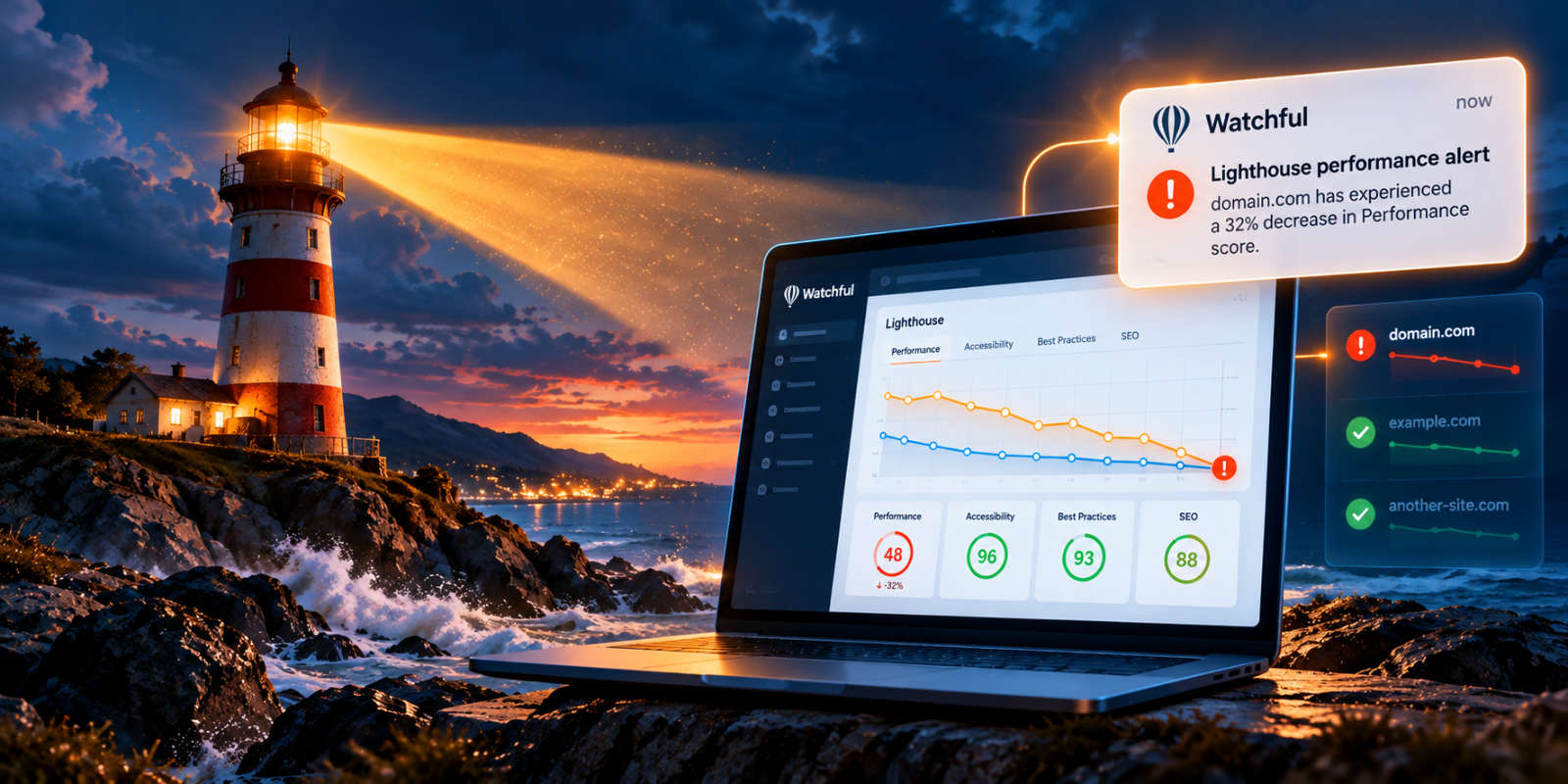
A website that performs well today can slow down tomorrow. Plugin updates, new content, third-party scripts, and changes to server configuration can all affect website performance, sometimes without any obvious warning.
Watchful now makes it easier to identify these problems with Lighthouse performance drop alerts, available to all Premium users.
Building on our Google Lighthouse website monitoring integration, this new feature automatically detects significant decreases in website performance and gives you the option to receive email notifications when something needs your attention.
Automatic detection of performance problems
Watchful automatically runs Lighthouse scans every week, tracking four key website quality categories: Performance, Accessibility, Best Practices, and SEO.
With performance drop detection, Watchful goes a step further by comparing your latest Lighthouse Performance score with the average of your site’s previous five scores.
When performance decreases by 25% or more relative to that average, Watchful records a warning in the site’s activity logs.
For example, if your website’s average Performance score is 80, a new score of 60 or lower meets the warning threshold.
This is a relative percentage decrease, not a fixed reduction of 25 points.
Mobile and desktop performance are evaluated independently, so a significant decline on either device can trigger a warning.
Focus on significant changes
Lighthouse scores naturally fluctuate between scans. Small changes can result from factors such as server response times, network conditions, or differences in page content.
Rather than generating warnings for every variation, Watchful focuses on substantial performance declines that may warrant investigation.
Performance improvements do not generate these warnings.
This helps you concentrate on potentially important problems without being distracted by minor score fluctuations.
Email notifications are optional
Watchful records significant performance drops, but email notifications are disabled by default.
If you’d like to receive an email when Watchful detects a qualifying performance decline, you can enable the notification in your account settings.
To opt in:
- Open
Settingsin Watchful. - Select the
Notificationstab. - Find the
Connectivity, Uptime & Performancesection. - Enable the
Lighthouse performance dropcheckbox. - Make sure
Disable all notificationsis set toNo. - Click
Save notifications settings.
Once enabled, Watchful can send you an email when a significant performance drop is detected.
You remain in control of your notification preferences and can disable these alerts whenever you wish.
Investigate performance drops with Lighthouse history
A performance warning tells you that something has changed. Lighthouse can help you understand what might be responsible.
Watchful keeps a history of Lighthouse scores, allowing you to compare recent measurements and see how your website’s quality has changed over time.
These historical scores can also be included in your Watchful client reports, making it easier to share performance trends with clients and colleagues.
If an automatic scan reveals a significant decline, you can launch a manual Lighthouse scan to generate a detailed technical report.
The report includes performance metrics, individual audits, and recommendations that can help identify problems such as oversized images, render-blocking resources, or excessive JavaScript.
After addressing any issues, run another manual scan to measure the improvements.
More proactive website maintenance
For agencies and website managers responsible for multiple WordPress and Joomla sites, identifying performance problems early is an important part of ongoing maintenance.
Lighthouse performance drop alerts add another layer of monitoring to Watchful, helping you identify potentially significant changes without having to inspect every website’s scores manually.
Combined with automated scans, historical performance data, and client reporting, these notifications help make website-quality monitoring a more proactive part of your maintenance workflow.
Enable Lighthouse performance drop alerts today
Lighthouse performance drop alerts are now available to all Watchful Premium users.
Automated Lighthouse monitoring continues without requiring you to enable email notifications. To receive alerts when performance declines significantly, simply opt in through your notification settings.
For detailed instructions on enabling notifications, reviewing scan history, and investigating performance problems, see our Monitoring website quality with Lighthouse documentation.


0 Comments