Watchful introduces smarter uptime monitoring with Boost Mode

Website downtime can happen without warning. Whether it’s a hosting problem, a failed software update, or a temporary server issue, knowing when a website becomes unavailable is essential for anyone responsible for maintaining it.
We’re excited to announce several improvements to Watchful’s uptime monitoring service that give you more control over how often your websites are checked, help detect recoveries faster, and make it easier to investigate outages.
The biggest changes since moving uptime monitoring in-house include customizable monitoring intervals and a new adaptive monitoring feature called Boost Mode, which automatically increases the frequency of uptime checks when a website’s status changes.
Combined with improved outage tracking and monitoring history, these features provide a more flexible and responsive monitoring experience for agencies managing WordPress and Joomla! websites.
Customize your uptime monitoring interval
Not every website needs to be checked at the same frequency.
A busy e-commerce website may benefit from frequent uptime checks, while a small business website or development environment may need less frequent monitoring.
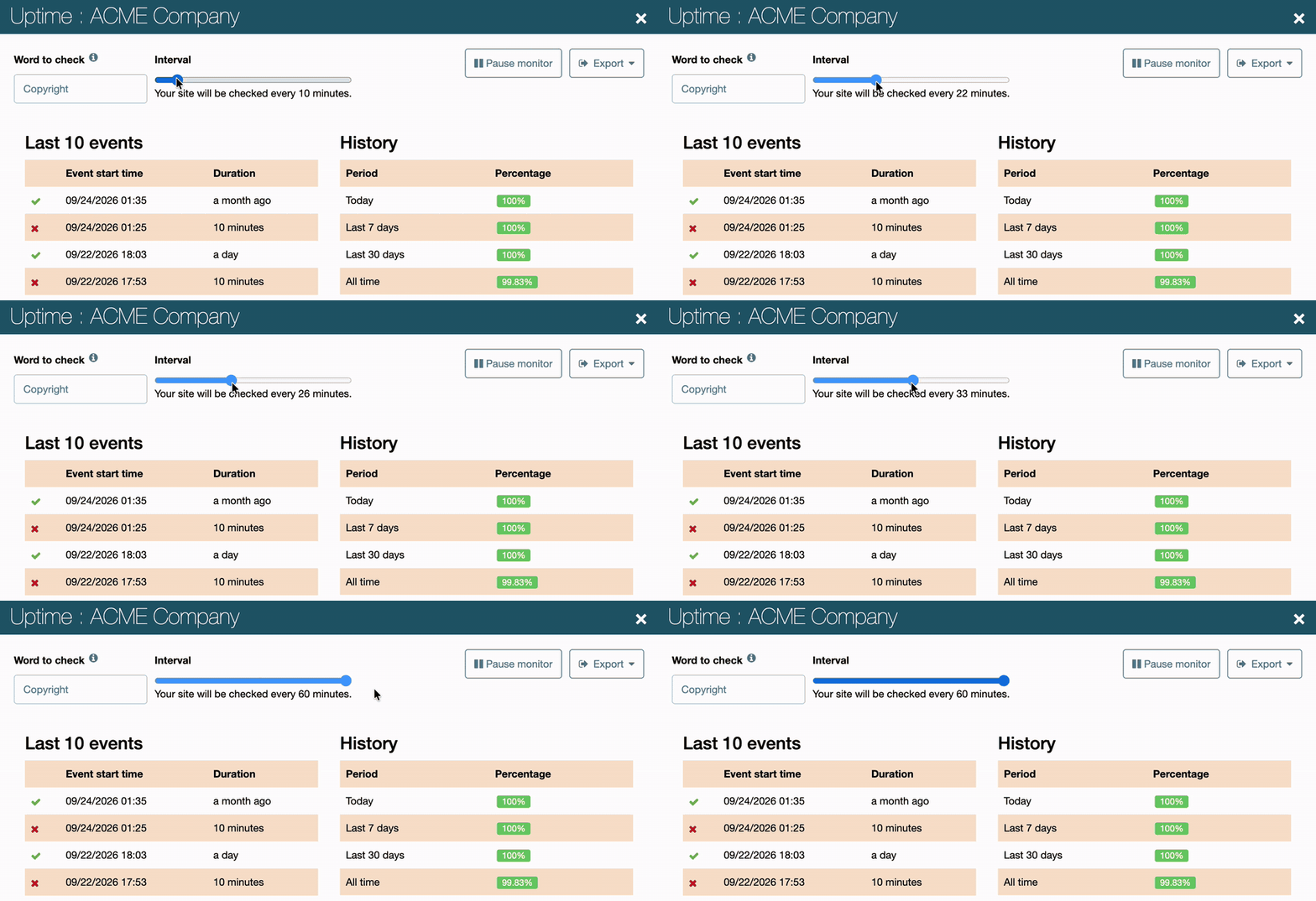
Watchful lets you customize the monitoring interval for individual websites, giving you control over how often availability checks occur.
Shorter intervals can help detect outages sooner, while longer intervals reduce monitoring requests and may help avoid unnecessary notifications caused by brief interruptions.
For example, you might choose more frequent checks for a critical client website and a longer interval for a site that experiences occasional brief interruptions.
Introducing Boost Mode: Smarter, more frequent uptime checks
Customizable monitoring intervals give you control over routine uptime checks. But when a website goes offline, more frequent checks can help detect its recovery sooner.
That’s where Boost Mode comes in.
When Watchful detects a change in a website’s uptime status, Boost Mode automatically increases the monitoring frequency to once per minute, regardless of your configured interval.
These more frequent checks continue until the website returns to its previous status or a maximum of 15 minutes has elapsed, whichever happens first.
After Boost Mode ends, Watchful returns to the monitoring interval you’ve configured for that website.
Boost Mode requires no additional configuration: it responds automatically to changes in website availability.
Why Boost Mode matters
Imagine a website that normally receives an uptime check every five minutes.
When Watchful detects that the website has become unavailable, Boost Mode increases the monitoring frequency to once per minute. This helps Watchful detect its recovery sooner without requiring frequent checks during normal operation.
The benefits include:
- Faster recovery detection: More frequent checks help identify when a website returns online.
- Better visibility during outages: Watchful follows changes in availability more closely when a problem occurs.
- Reduced monitoring overhead: Websites operating normally don’t need to be checked every minute.
- No manual intervention: Boost Mode adjusts the monitoring frequency automatically.
The result is a more responsive monitoring service that concentrates additional checks when they’re most useful.
Diagnose downtime with technical error details
Knowing when a website becomes unavailable is useful. Understanding what went wrong is even better.
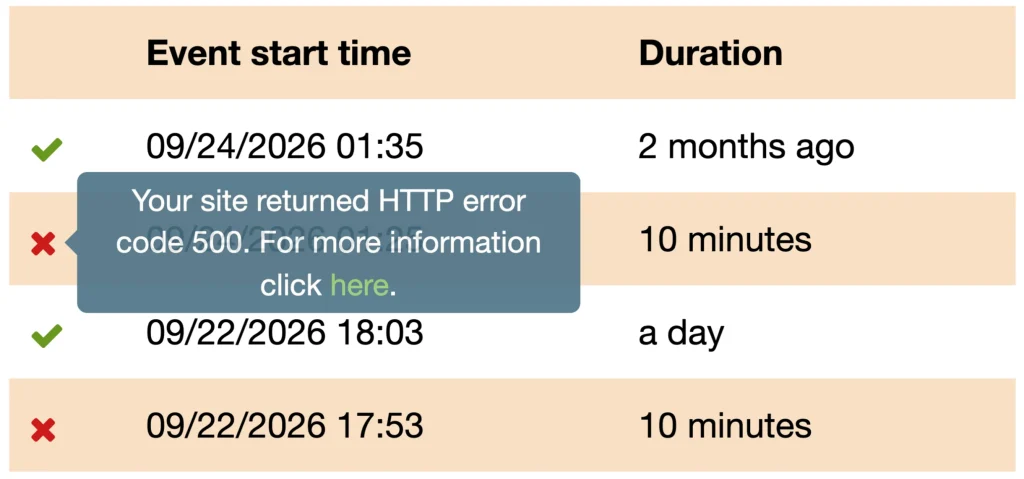
Watchful now includes technical error details alongside individual downtime events, making it easier to investigate outages and identify potential causes.
Depending on the failure, these details may include HTTP response codes and information about unsuccessful monitoring requests.
For example, a 403 Forbidden response may indicate that a firewall is blocking monitoring requests, while a 500 Internal Server Error suggests a problem with the website or its hosting environment.
By reviewing these details alongside outage timestamps and recovery events, you can narrow down possible causes and share useful information with your hosting provider.
This makes uptime monitoring more than a simple online/offline indicator. It becomes a practical troubleshooting tool for agencies managing client websites.
A clearer picture of website reliability
Individual outages tell part of the story. Long-term uptime statistics help agencies identify recurring problems and evaluate hosting reliability.
Watchful combines current availability, outage history, and uptime percentages to give you a clearer picture of each website’s performance over time.
For agencies managing multiple websites, this information helps identify unreliable hosting, investigate recurring interruptions, and make informed recommendations to clients.
Stay informed with uptime notifications
Watchful continues to provide email notifications when monitored websites become unavailable and when they recover.
These notifications help you investigate problems promptly, even when you’re not actively working in your Watchful account.
You can manage uptime notifications from your Watchful account settings, alongside notifications for other website maintenance and security events.
If you’re performing scheduled maintenance, you can also pause uptime monitoring for an individual website and resume it afterward.
Pausing a monitor preserves its existing uptime history while preventing unnecessary downtime checks and notifications during maintenance.
Together, these features help agencies stay informed about genuine availability problems without creating unnecessary interruptions to their workflow.
Better uptime monitoring for client reporting
Uptime monitoring also plays an important role in communicating the value of website maintenance services.
Watchful includes uptime statistics in its client reporting tools, allowing agencies to document website availability alongside software updates, security activities, backups, and other maintenance work.
The improvements to uptime monitoring provide more useful availability information for investigating outages and discussing website reliability with clients.
For example, an agency can review downtime events after a hosting incident, compare website availability over time, and use uptime statistics when preparing a monthly maintenance report.
These records provide context for conversations about hosting quality, recurring problems, and the ongoing value of professional website maintenance.
Built on our privacy-friendly monitoring infrastructure
These improvements build on the privacy-friendly, in-house uptime monitoring service we introduced in 2022.
By developing and operating our own monitoring infrastructure rather than relying on a third-party provider, Watchful maintains direct control over monitoring requests, data collection, and service improvements.
This independence allows us to introduce features like Boost Mode while maintaining our commitment to privacy and responsible data handling.
Getting started
The improved uptime monitoring service is available to Watchful Premium customers.
If you’re already using Watchful uptime monitoring, Boost Mode works automatically. There’s no additional setup required to benefit from adaptive monitoring.
To explore the monitoring features:
- Open your
Sites Dashboardin Watchful. - Find the website you want to inspect.
- Open its
site drawer. - Select
Uptimeto review the site’s monitoring status, availability statistics, and uptime history.
For more information about configuring monitors, reviewing uptime history, checking SSL certificate expiration, and managing notifications, see our uptime monitoring documentation.
With smarter monitoring intervals and better visibility into outages and recoveries, Watchful makes it easier to keep your clients’ websites online and respond when problems occur.



0 Comments