Lighthouse Website Quality Scores Now Included in Watchful Client Reports
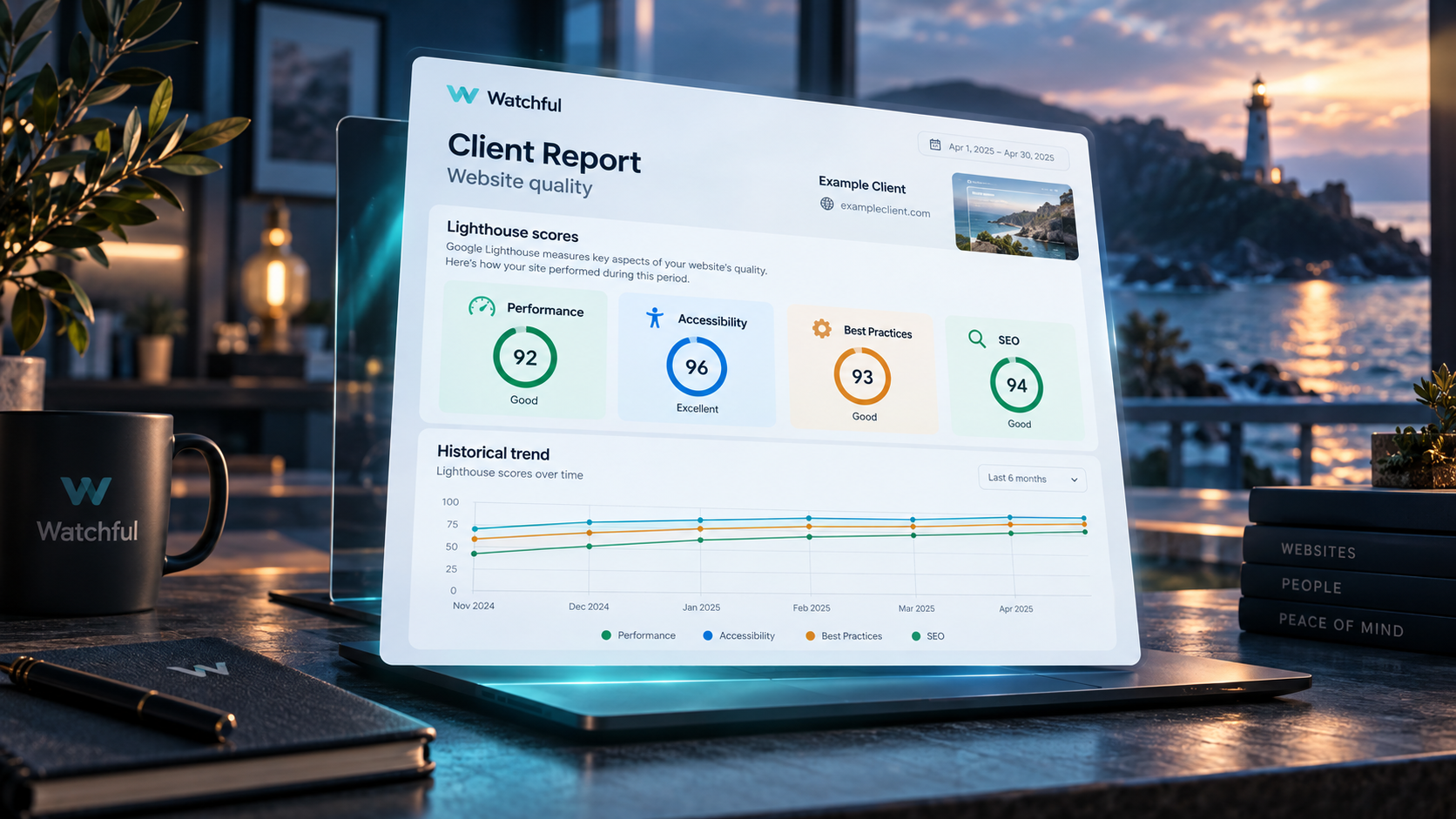
Watchful client reports now include Google Lighthouse website quality data, making it easier to share website performance insights with clients and colleagues.
With this update, your client reports can include Lighthouse scores for Performance, Accessibility, Best Practices, and SEO, along with historical trend data when scans are available. This gives you a clearer way to communicate website quality over time and highlight meaningful changes in a format that is easy to review and share.
Bringing Lighthouse insights into client reporting
Adding Lighthouse to Watchful has made it easier to evaluate website quality. With the addition of Lighthouse data to client reports, those insights can now become part of your regular reporting workflow as well.
When Lighthouse scans are available for a site, Watchful can include the relevant quality data in the site’s client report. This helps agencies, freelancers, and website managers present technical performance information in a more accessible way.
Instead of reviewing quality data only inside Watchful, you can now incorporate it into the reports you already send to clients.
What’s included in the report
When Lighthouse data is available, Watchful client reports can include:
- Performance scores
- Accessibility scores
- Best Practices scores
- SEO scores
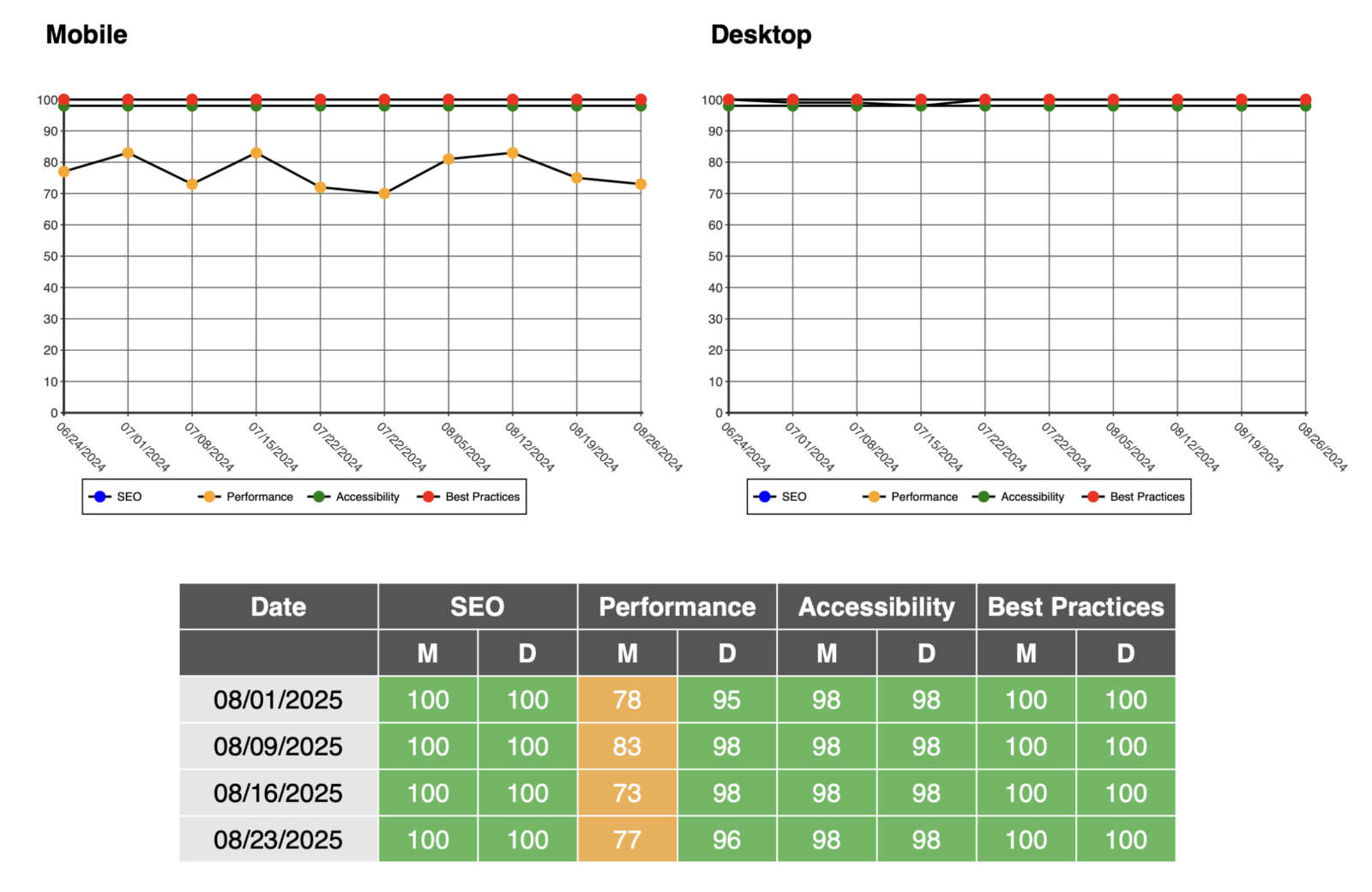
- Historical score trends
- A visual graph showing changes over time
These additions make it easier to identify trends, explain the impact of recent website changes, and show where improvements are needed.
Because Lighthouse reports separate results for mobile and desktop devices, Watchful’s reporting also helps you communicate how website quality may differ across different visitor experiences.
Better reporting for agencies and maintenance providers
For agencies and professionals managing multiple websites, client reports are one of the most important ways to demonstrate the ongoing value of maintenance and optimization work.
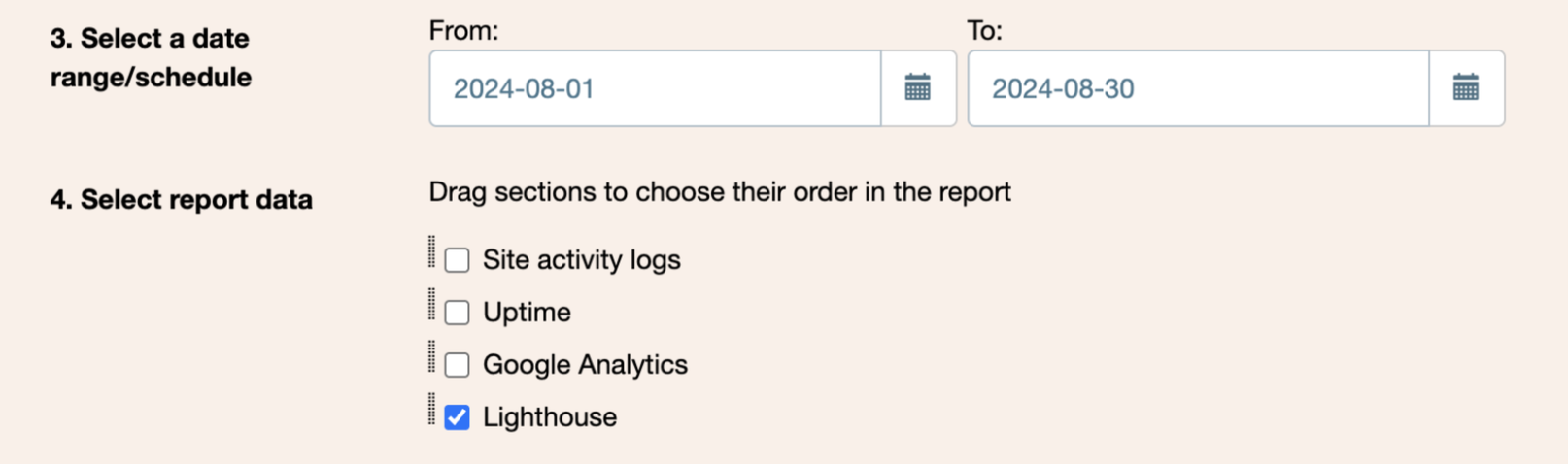
You can add Lighthouse to new or existing client reports by adjusting the report content in the content builder as shown below.
Adding Lighthouse data to Watchful client reports helps you:
- Show clients how website quality changes over time
- Highlight improvements after optimization work
- Provide objective technical data alongside other maintenance reporting
- Identify areas where more work may be needed
- Deliver more informative, more valuable reports
This is especially useful when discussing site speed, accessibility improvements, or technical SEO health with non-technical stakeholders.
Historical graphs make trends easier to understand
A single score can be useful, but trends are often more meaningful.
By including Lighthouse history graphs in client reports, Watchful helps you show whether website quality is improving, declining, or remaining stable over time.
This visual context can make it easier to connect technical changes with real website outcomes. For example, you may be able to show that a site’s Performance score improved after image optimization, or that accessibility scores declined following a redesign.
A stronger client reporting workflow
Watchful is designed to help you manage websites more efficiently, and client reporting is an important part of that process.
By bringing Lighthouse results into client reports, Watchful gives you a more complete picture of website health in a format you can easily share. It also reduces the need to gather data from multiple tools when preparing reports for clients.
If you already use Watchful reports as part of your maintenance process, Lighthouse data can now strengthen those reports with additional website-quality insights.
Available now
Lighthouse website quality scores are now included in Watchful client reports when scan data is available.
To learn more about Lighthouse monitoring in Watchful, see our Monitoring website quality with Lighthouse documentation.



0 Comments