Introducing Google Lighthouse Website Quality Monitoring in Watchful
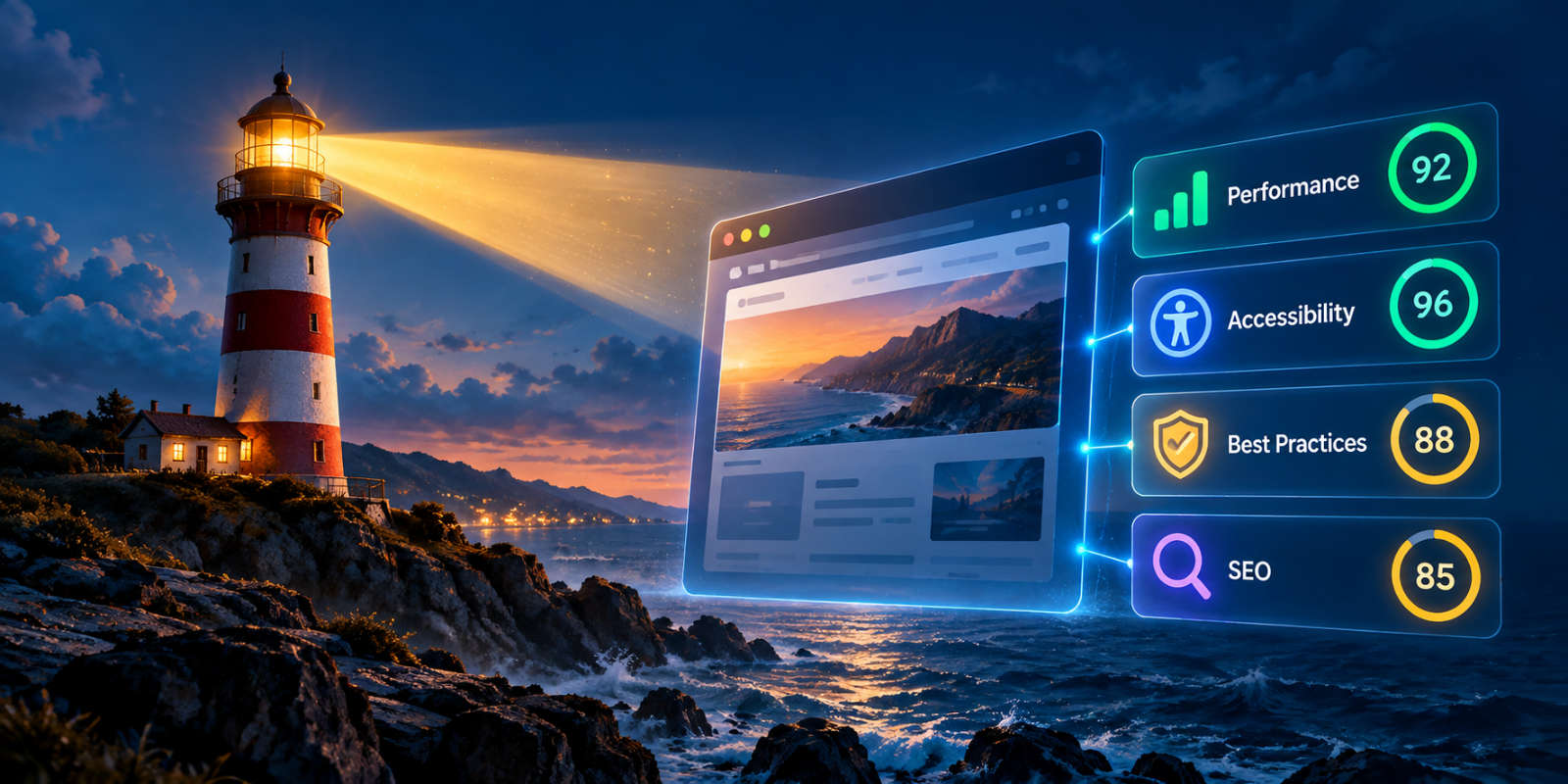
We’re excited to announce the integration of Google Lighthouse into Watchful, bringing powerful website-quality analysis directly to your Watchful dashboard.
With Lighthouse, you can evaluate your websites across four essential areas: performance, accessibility, best practices, and search engine optimization (SEO). Whether you manage a single website or dozens of client sites, Lighthouse makes it easier to identify problems, prioritize improvements, and deliver better website experiences.
What is Google Lighthouse?
Google Lighthouse is an open-source auditing tool that evaluates the quality of websites using a series of automated tests.
Lighthouse analyzes how efficiently a website loads, whether it follows accessibility guidelines, how well it implements modern web development practices, and whether it meets important technical SEO requirements.
Each audit produces scores from 0 to 100 across four categories:
- Performance: Measures loading speed, visual stability, and responsiveness.
- Accessibility: Identifies potential barriers that could make your website difficult to use for people with disabilities.
- Best Practices: Checks for common technical issues involving browser compatibility, security, and modern web development standards.
- SEO: Evaluates technical factors that help search engines discover and understand your content.
Scores are color-coded to help you quickly identify areas that need attention.
Website-quality audits without leaving Watchful
With the new Lighthouse integration, you can launch a website-quality audit directly from your Watchful dashboard.
There’s no need to open separate developer tools or manually transfer results between services.
To run a Lighthouse scan:
- Open the
Sites Dashboardin Watchful. - Locate the website you want to analyze.
- Expand its site drawer.
- Select
Lighthouse Scan. - Click
Scan againto start a new audit.
Watchful performs the analysis and makes the results available for review when the scan completes.
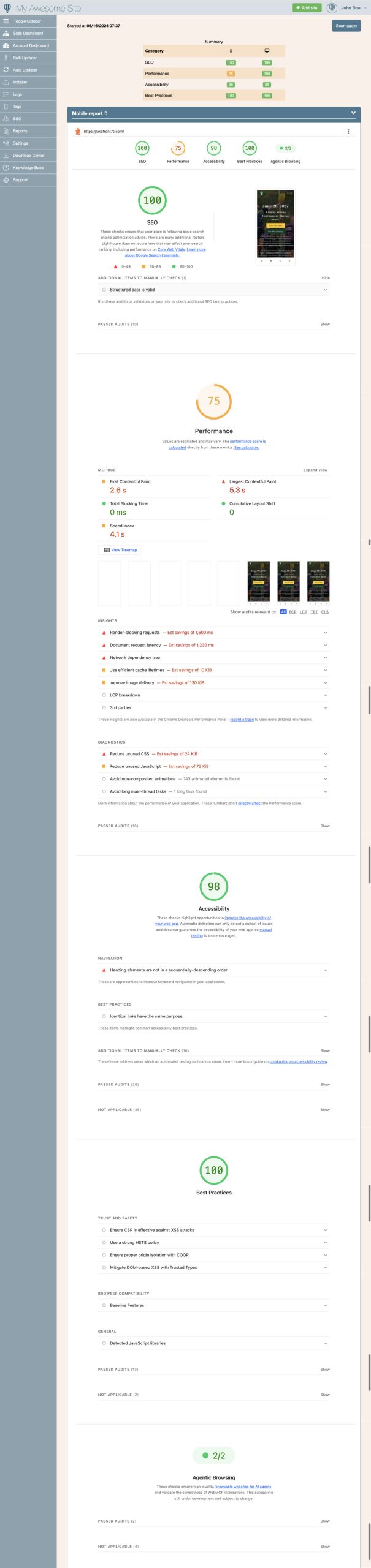
Separate mobile and desktop results
Website performance can vary considerably between mobile and desktop devices.
A website that loads quickly on a desktop computer might perform very differently on a smartphone, particularly when processing complex scripts, loading large images, or rendering interactive content.
Watchful’s Lighthouse integration provides separate mobile and desktop assessments, helping you understand how visitors experience your website across different devices.
This makes it easier to identify problems that might otherwise go unnoticed when testing only on a desktop computer.
Automatic website-quality monitoring
In addition to manual audits, Watchful automatically collects Lighthouse scores to help you monitor website quality over time.
These automated scans record summary scores for Performance, Accessibility, Best Practices, and SEO, separately for mobile and desktop devices.
Unlike manual scans, which provide detailed technical reports, automated scans focus on collecting the scores needed to track website quality over time.
Detailed reports with actionable recommendations
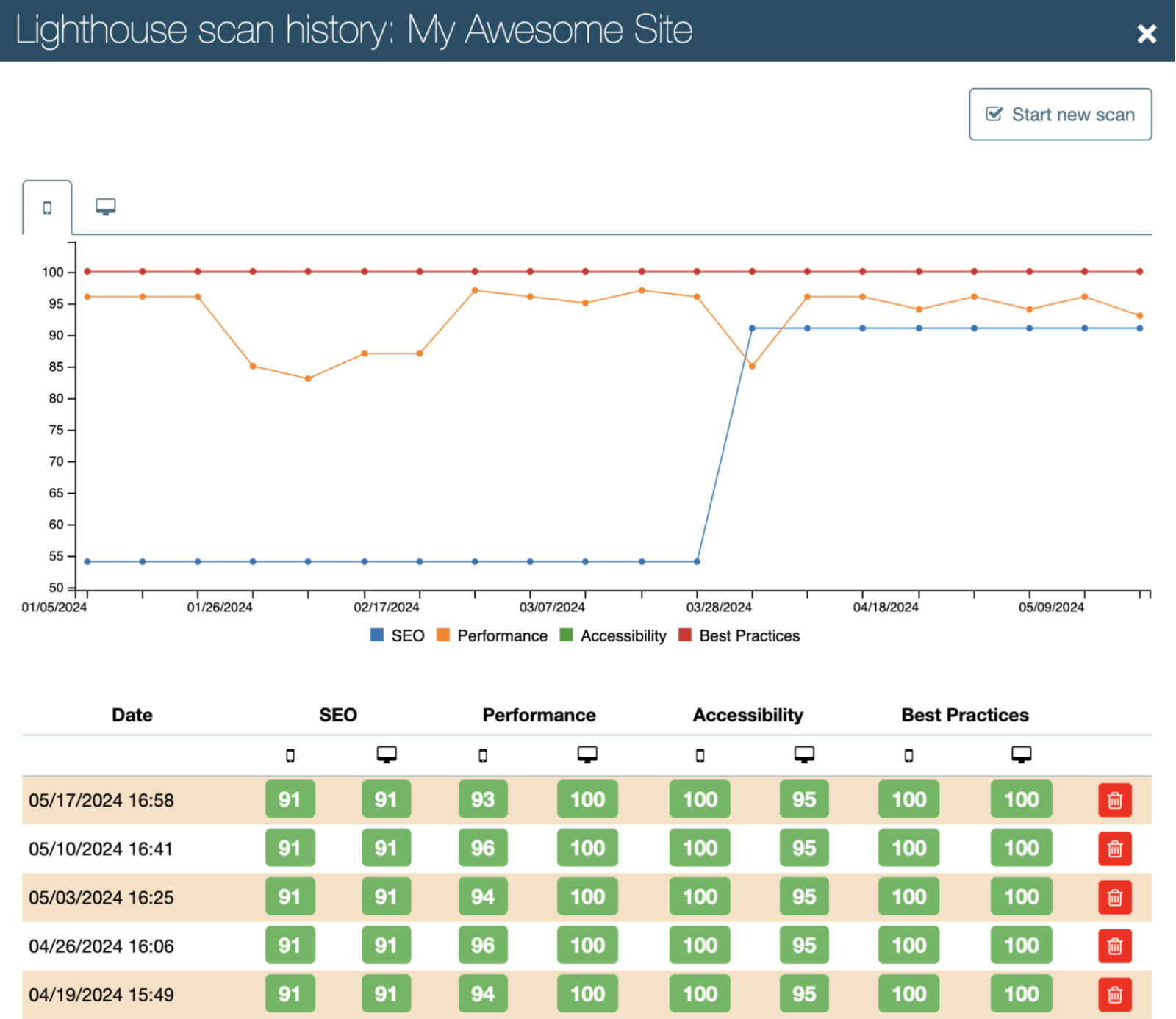
As shown above, Lighthouse does more than assign a score. Its detailed reports help explain why your website received a particular result and what you can do to improve it.
Depending on the audit, recommendations may include:
- Optimizing oversized images and other media.
- Reducing unused JavaScript and CSS.
- Improving page loading and rendering performance.
- Addressing accessibility issues.
- Correcting technical SEO problems.
- Updating outdated web development practices.
Performance reports also include useful measurements such as Largest Contentful Paint (LCP), Total Blocking Time (TBT), and Cumulative Layout Shift (CLS).
Together, these measurements provide a more complete picture of how your website behaves during loading and interaction.
Built for website managers and agencies
For agencies and professionals managing multiple WordPress and Joomla websites, maintaining website quality is an ongoing responsibility.
Updates to plugins, extensions, templates, and themes can introduce changes that affect performance or accessibility. New content and third-party scripts can also have an impact.
By integrating Lighthouse into Watchful, we’re making website-quality assessment part of your existing maintenance workflow.
You can investigate potential issues, validate improvements after major updates, and make more informed decisions about where to focus your optimization efforts.
Get started with Lighthouse in Watchful
Google Lighthouse website-quality monitoring is now available within Watchful.
Open your Sites Dashboard, select a website, and run your first Lighthouse scan to discover how your site performs across the four key quality categories.
For detailed instructions, see our Monitoring website quality with Lighthouse documentation.


0 Comments