Prevent incompatible WordPress plugin updates with PHP compatibility checks
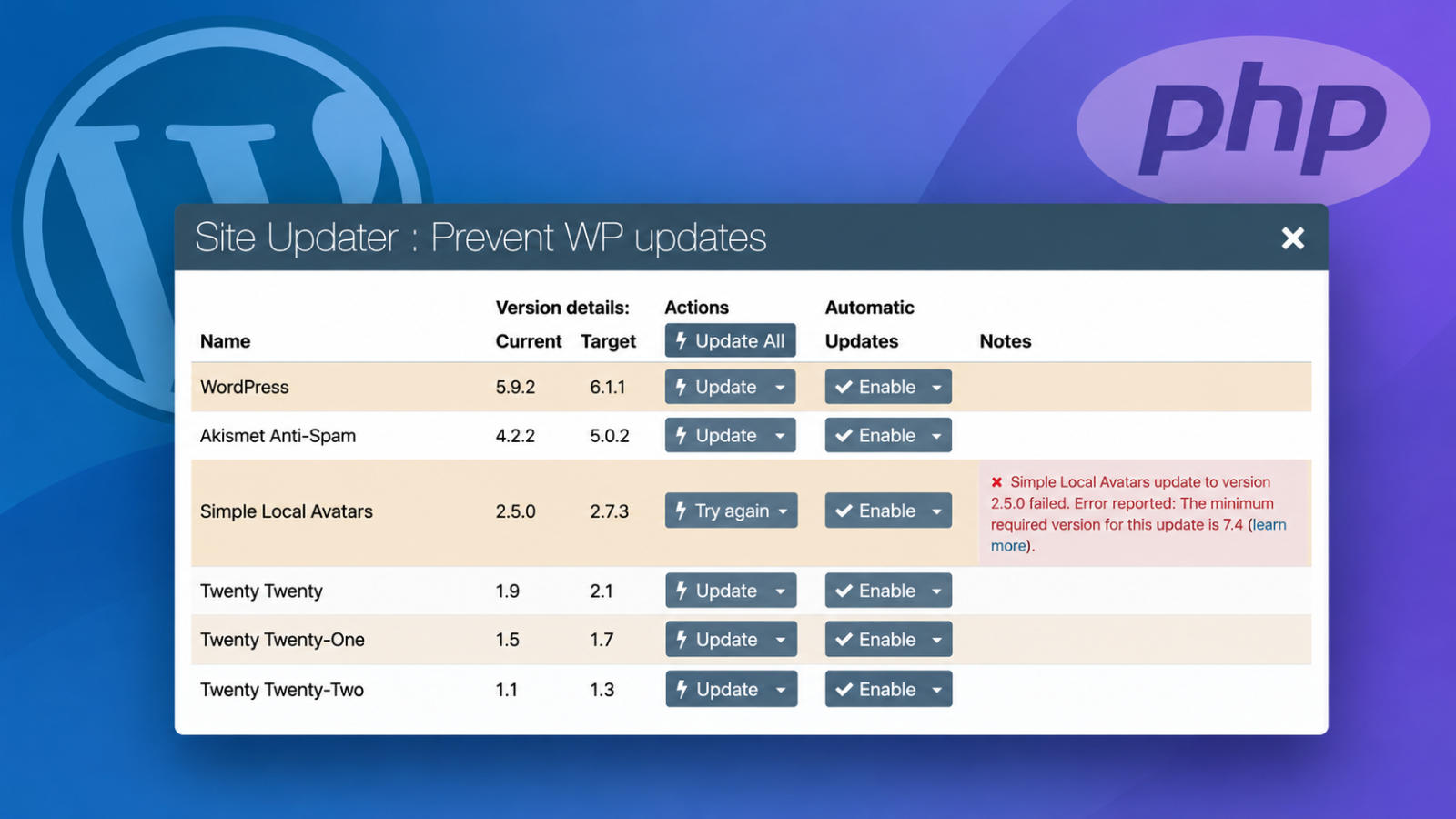
Keeping WordPress plugins up to date is an important part of website maintenance. Updates frequently include security fixes, bug fixes, and new features. However, installing a plugin update that isn’t compatible with your website’s PHP version can cause errors or even break your site.
To help prevent these problems, Watchful checks PHP compatibility before applying WordPress plugin updates.
This feature adds an important safeguard to the Watchful updater, helping website managers avoid potentially disruptive updates.
Why PHP compatibility matters
PHP is the programming language that powers WordPress. Every WordPress website runs on a particular PHP version, which is determined by its hosting environment.
WordPress plugins may require a minimum PHP version to function correctly. These requirements can change when developers release new versions of their plugins.
For example, a plugin that works with PHP 7.2 might require PHP 7.4 after an update.
Attempting to install the newer plugin version on an incompatible server could result in PHP errors, broken functionality, or a website that stops working altogether.
This is particularly challenging for agencies managing dozens or hundreds of WordPress websites across different hosting providers.
How Watchful checks PHP compatibility
Before applying a WordPress plugin update, Watchful compares the PHP version installed on your website’s server with the minimum PHP version required by the new plugin version.
There are three possible outcomes:
- If your server meets the minimum PHP requirement, Watchful proceeds with the update.
- If your server does not meet the requirement, Watchful prevents the update from being installed.
- If the plugin does not declare a minimum PHP requirement, Watchful allows the update to proceed.
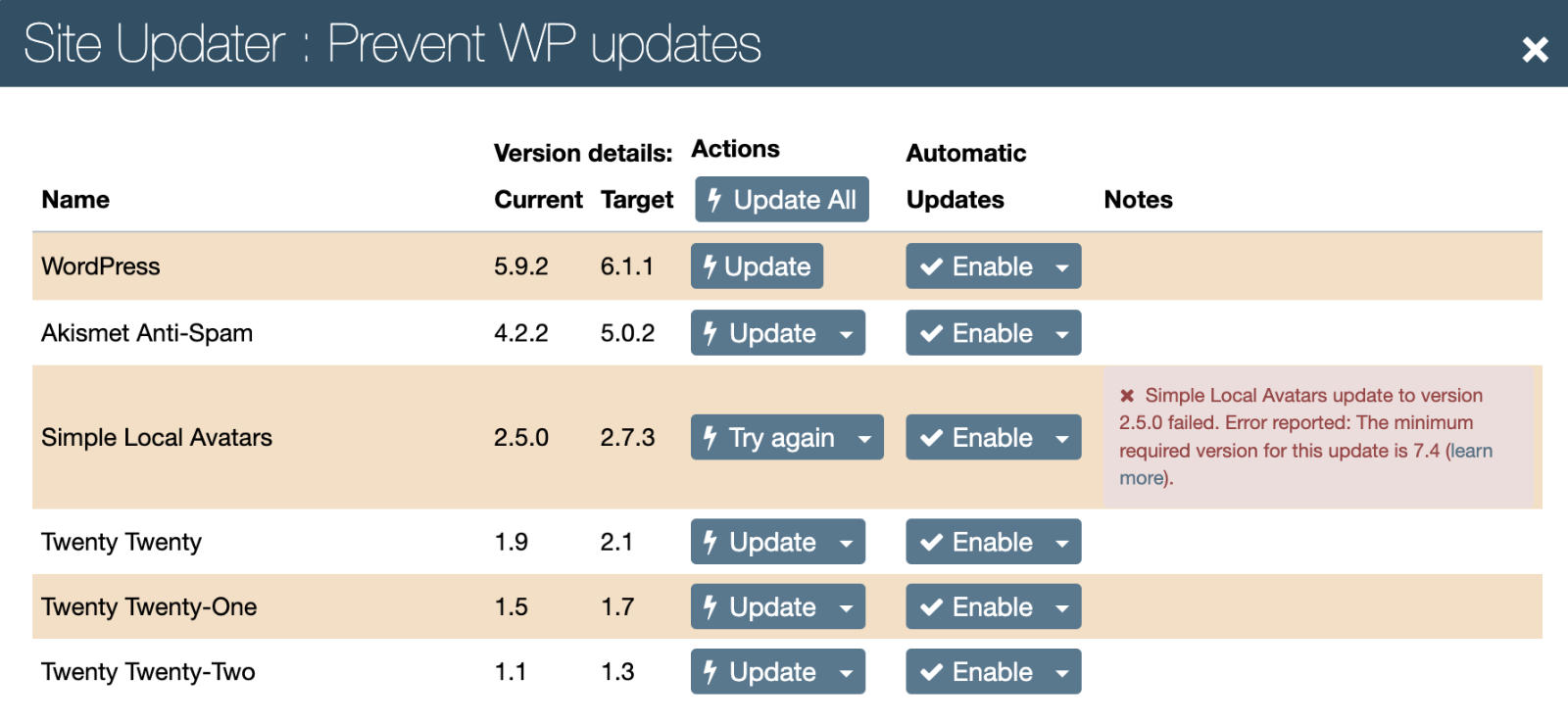
When Watchful detects an incompatible update, it displays an explanation in the Notes column of the Site Updater.
The message identifies the minimum required PHP version and includes a learn more link to additional information.
This makes it easier to understand why an update cannot be applied and what needs to change before trying again.
An example of an incompatible WordPress plugin update
The screenshot below shows Watchful preventing an update to the Simple Local Avatars plugin.
The website has version 2.5.0 installed, and version 2.7.3 is available. However, the newer version requires PHP 7.4, which the server does not support.
Rather than installing the incompatible update, Watchful displays a warning explaining the minimum PHP requirement.
Other compatible plugin updates remain available, allowing website maintenance to continue without installing the incompatible version.
What to do when an update is blocked
If Watchful identifies an incompatible plugin update, you have two options.
Upgrade your server’s PHP version
The preferred solution is to upgrade PHP to a version supported by the plugin and your other website software.
Most hosting providers allow you to change the PHP version through their hosting control panel.
Before changing PHP, confirm that your WordPress installation, plugins, and theme are compatible with the target version. We also recommend creating a current backup.
Once your server is running a compatible PHP version, return to Watchful and apply the pending plugin update.
Ignore the update temporarily
If you cannot upgrade PHP immediately, you can use the Ignore option in the Watchful updater to defer the incompatible update.
This can be useful when you need additional time to test a PHP upgrade or coordinate changes with your hosting provider.
However, ignoring updates indefinitely is not recommended, particularly when they contain important security fixes.
An additional safeguard for WordPress maintenance
PHP compatibility checks help prevent one common cause of failed WordPress updates, but they cannot guarantee that every update will succeed.
The checks rely on the minimum PHP version declared by the plugin developer. Some plugins do not provide this information, and other compatibility issues may still exist.
For this reason, regular backups, testing, and careful update management remain important.
By checking PHP requirements before installing WordPress plugin updates, Watchful adds another layer of protection to routine website maintenance.
For agencies managing websites with different PHP versions and hosting configurations, this means fewer avoidable update failures, clearer troubleshooting information, and greater confidence when maintaining client websites.



0 Comments