Website security tools that keep intruders at bay
Watchful uses two groups of tools that perform in-depth, system-wide scans to monitor website security : the early warning audit and the vulnerability scanner. Using these tools and following the recommendations help harden your website against intruders, spammers and other bad actors.
Early Warning Audit
The early warning audit is a website security scanner that runs once each day and looks for changes to your core files and services. This includes changes to critical files such as the main WordPress configuration file and and the main index.php file of your theme.
The audit also examines things like the PHP and MySQL version on your server, recently installed and deleted plugins, changes to the site admin accounts, pending software updates and the status of your website backups. Our knowledge base includes a full list of all of the items checked by the audit.
When the audit detects changes or other suspicious activity, you’ll be notified by email so you can investigate and take the appropriate actions to resolve the problem. Additionally, the site activity logs record everything detected by the early warning audit. This information appears (optionally) in client reports as well.
The early warning audit runs 8 times /day /site on Premium accounts and once per day on free accounts.

Vulnerability Scanner
The vulnerability scanner is a suite of tools designed to perform a comprehensive analysis of your website security. It includes the following scans:
- Site configuration and best-practices.
- Konwn vulnerabilities (eg: CVE: Common Vulnerabilities and Exposures) for core, plugins and extensions.
- Core filesystem integrity.
- Permissions audit.
- Malware signature scan.
- Website reputation (eg: Google Safe Browsing).
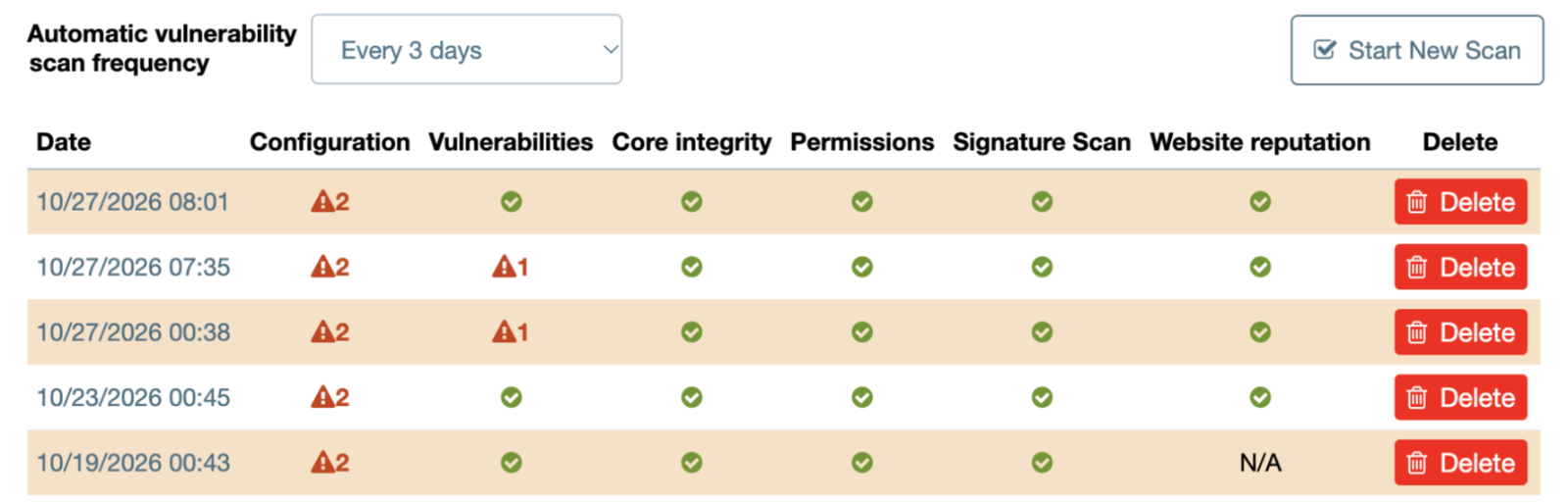
vulnerability scanner.The vulnerability scanner runs automatically, and can be used manually as often as desired. The scan results show both safe items and items to check (when appropriate) along with advice on how to resolve any problems. Our knowledge base includes a full list of all of the items checked by the vulnerability scan.
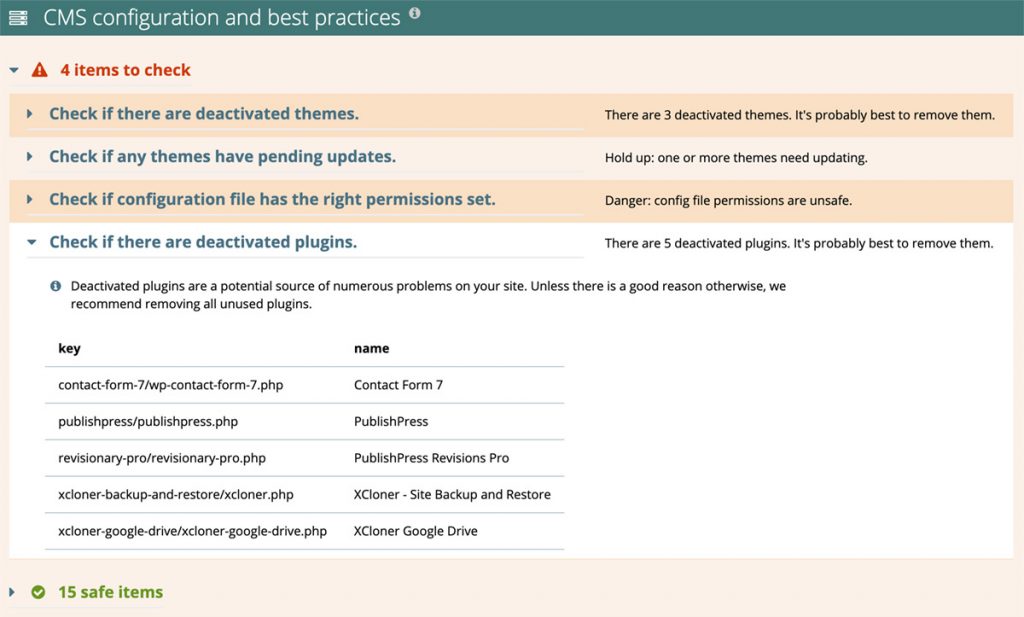
vulnerability scanner. results.
Create your 100% free account today. No commitment. No credit card required.